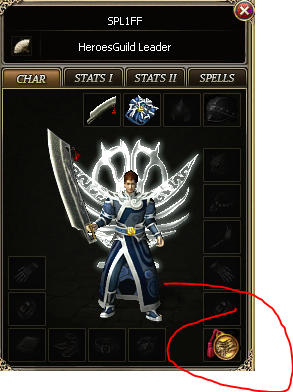
In this guide, I will detail how to add a new item slot for things such as pads, medals, shields, or whatever wonderful things you can think of. For the purpose of this guide, I'm going to add a medal slot. This may not be perfect, so please feel free to point out improvements if there are any to be made!
-
Open your source.
-
In UserObject.cs (Client side), Increase the Equipment = new UserItem number up by 1.

- In CharacterInfo.cs (Server side), Increase the Equipment = new UserItem number up by 1.

- In Language.cs (Server side), add the following:


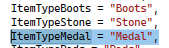
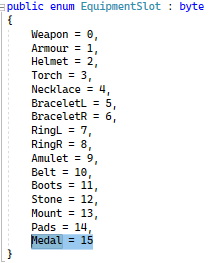
- In Enums.cs (Server side), add the following, ensuring to follow the sequential order suitable for your current source.
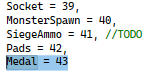
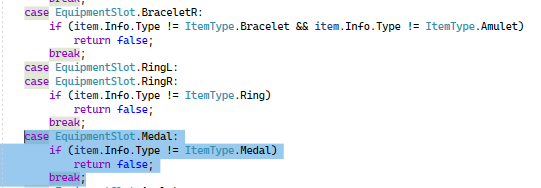
- You will need to add the following to PlayerObjects.cs (Server side):
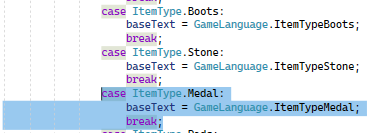
- In GameScene (Client side), add the following:
- In TrustMerchantDialog.cs (Client side) add the following if you want it to be saleable in the Trust Merchant.

9) There are three places in MainDialogs.cs (Client side) to update, one which updates what another player see's when they are being nosy and want to inspect, and another what you see when opening you character window. For this section, I want my new medal slot to be directly under my right hand side right slot. You should be able to identify positioning coordinates from looking at others and the distances between them. Add the following:
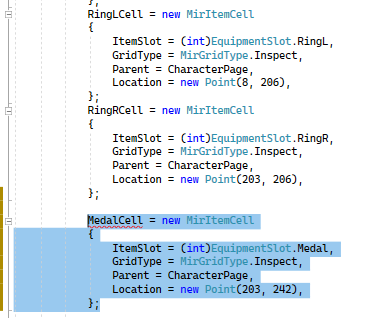
and:
You will also need to add MedalCell here:
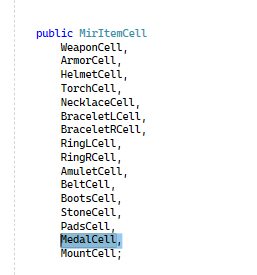
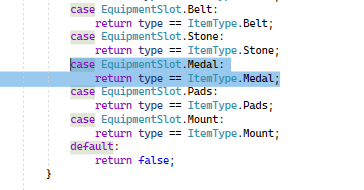
- There are a number of places in MirItemCell.cs (Client side) to add your code to also:
-
You wil need to edit your Pgruse.lib (image 340/341) and add the box you want. This can be done as simply as using paint.
-
Rebuild your solution, and everything should be good to go! You will be able to add the items into your DB through the Server.exe as usual and then make the item to equip in game.
Hope this has been useful and is easy enough to follow.